How to List Your Mic
Get your open mic in front of comics who are actually looking for it. Takes about five minutes.
Before you start
You'll want these handy:
- Venue name and street address.
- Day(s) of the week and the start time.
- How comics sign up, whether that is a bucket draw, online, or at the door.
- Cover charge or drink minimum, if any.
- Set length in minutes.
- Your mic's social links, if you have them.
Step by step
-
Create a MicLister account
Head to michunts.app and choose MicLister.
-
Check whether your mic is already listed
Search your venue first. MicHunts already includes a lot of open mics. If yours is there, open it and use Claim this mic rather than creating a duplicate.
-
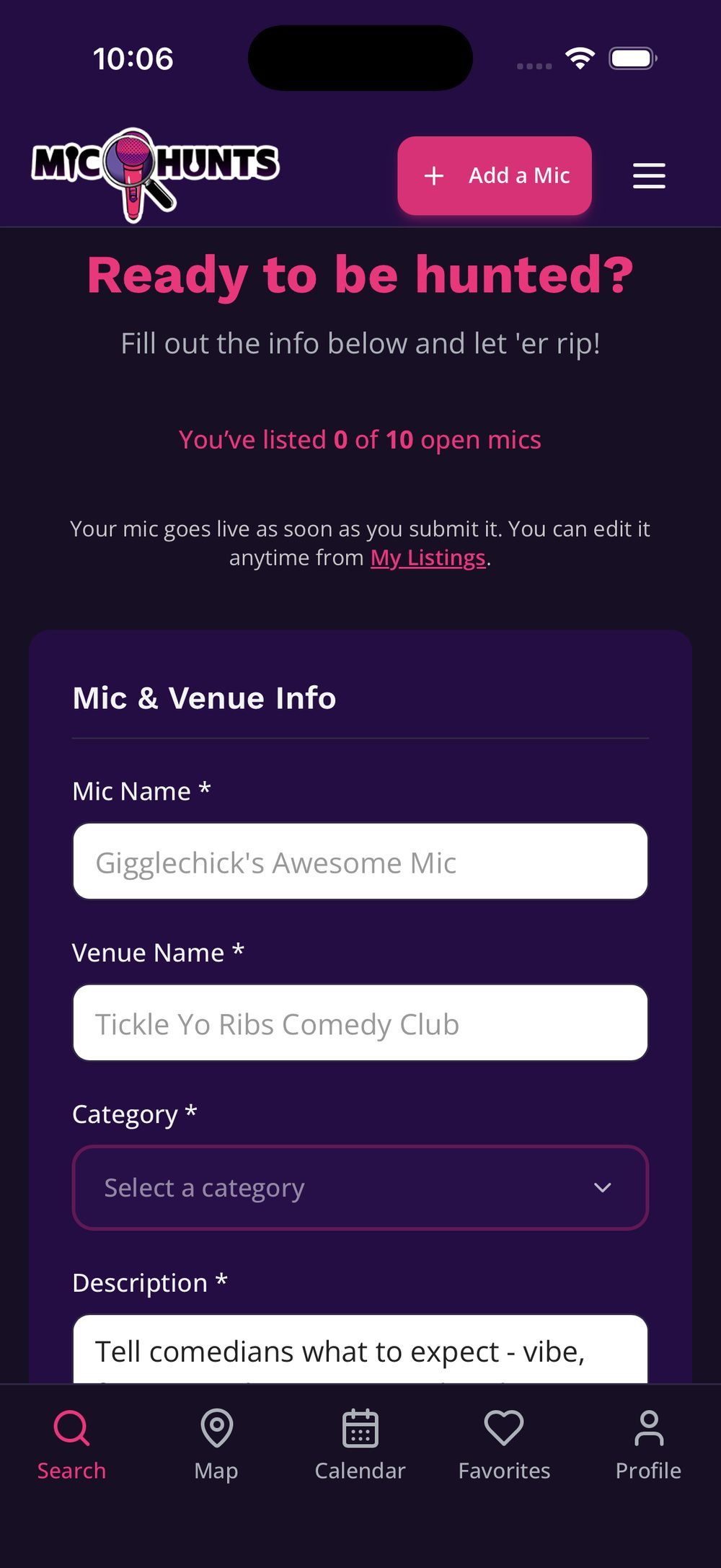
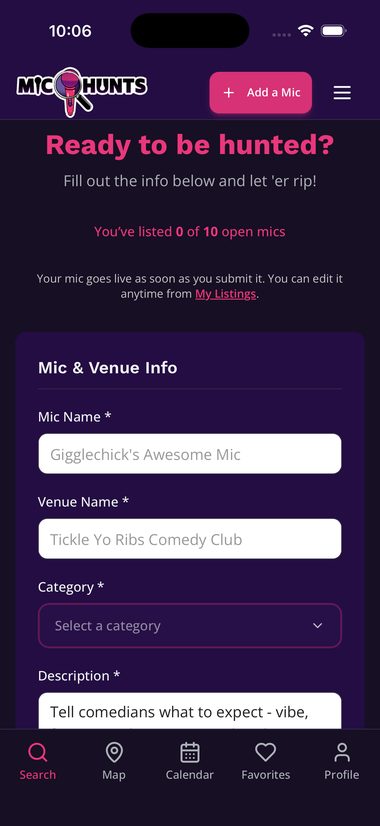
Name your mic, then list the venue
Hopefully you have a cool open mic name, toss it in there. Next, give the name of the venue your show is at.
Tap to enlarge -
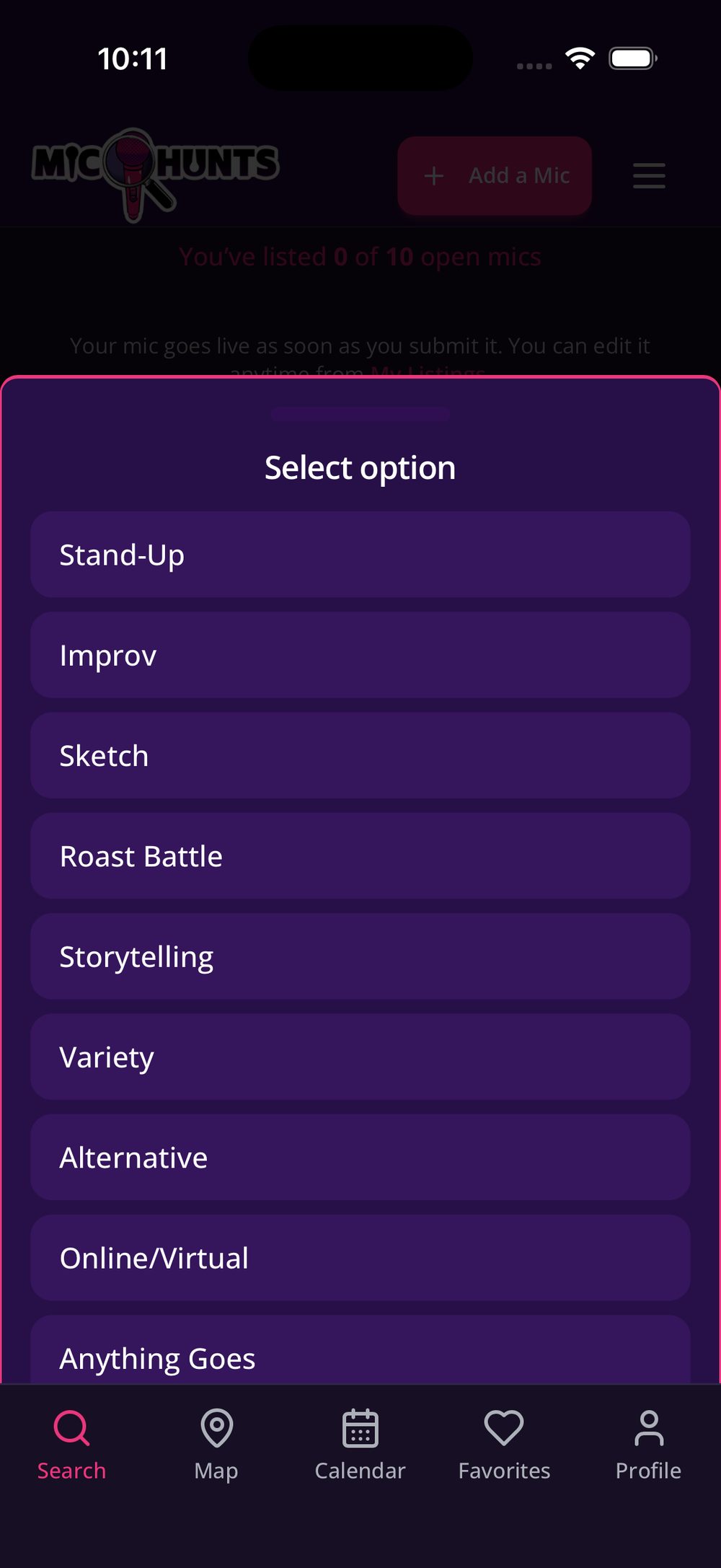
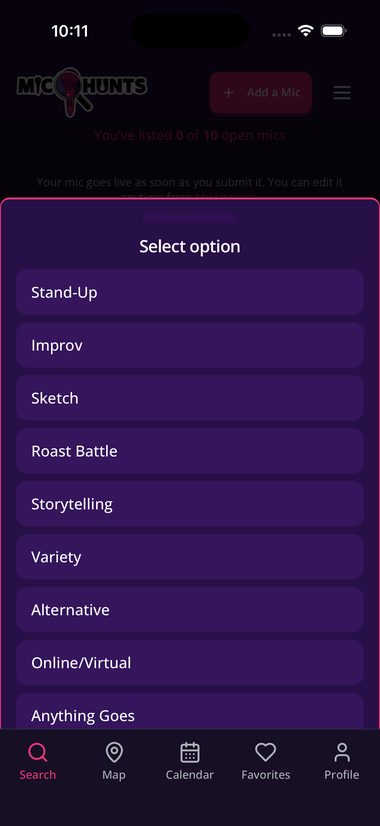
Pick a category
This is what comics filter by. If your room takes all comers like musicians, poets or sword-juggling fire-eaters, Anything Goes is a real answer. (But usually, Stand-Up is the most popular.)
Tap to enlarge -
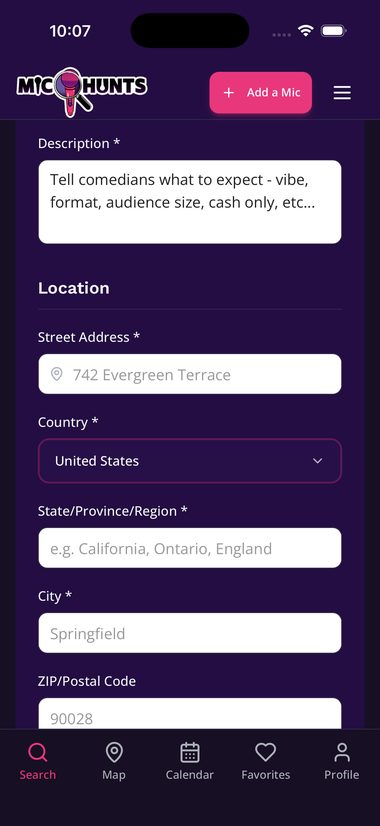
Write the description
Which door, where to park, how hard the room is. The things no other field covers.
-
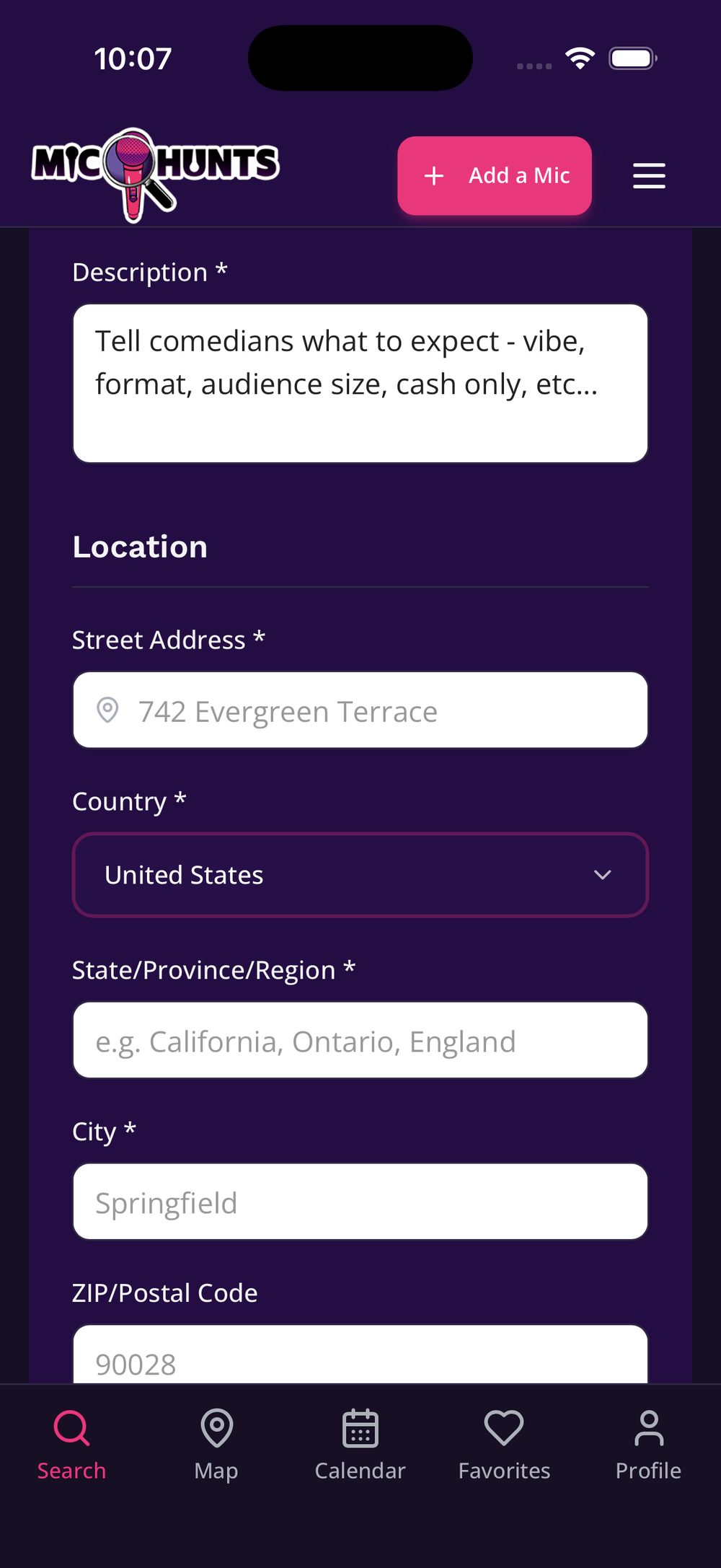
Add the venue's address
This places your pin. Exact address is the way to go. The address field will usually give suggestions, even if you write the venue name in it.
Tap to enlarge -
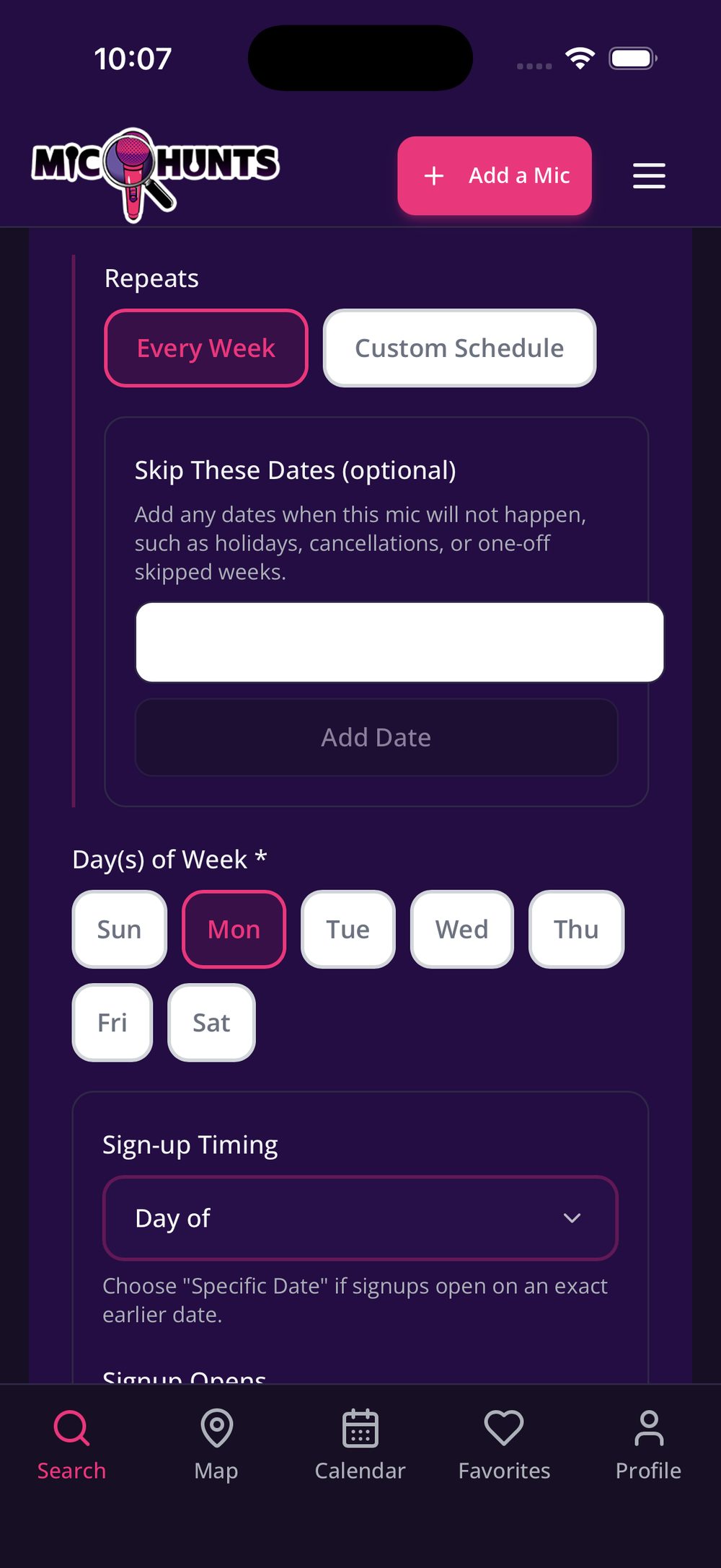
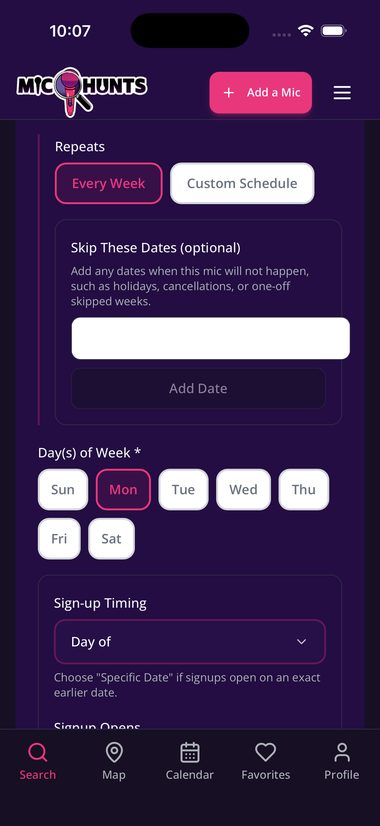
Tick every day it runs
Monday, Tuesday and Thursday? Tick all three on one listing. One listing, one slot, however many days.
Same time, same cost, same set length, but it runs on three days? That is still one listing, and it will show up in the searches for all three days.
Tap to enlarge -
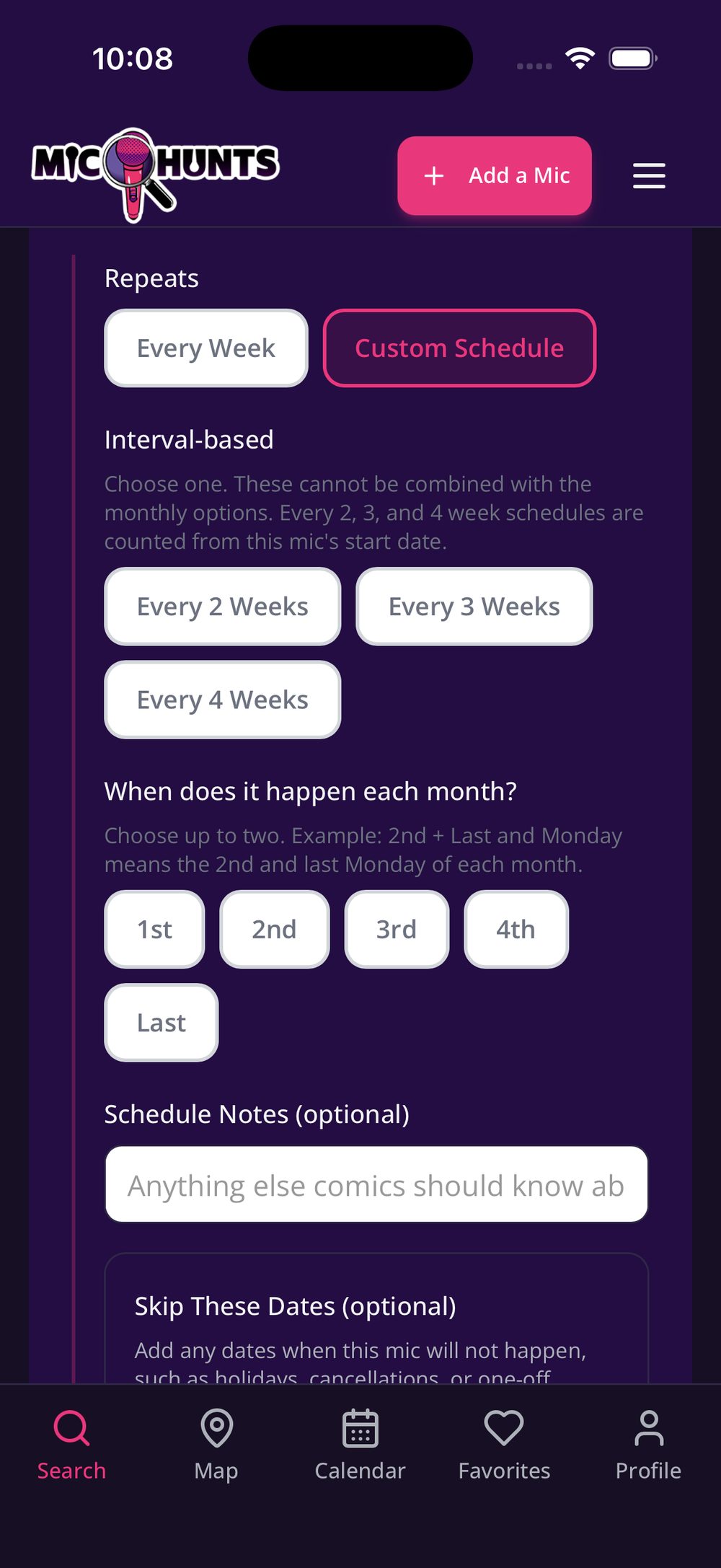
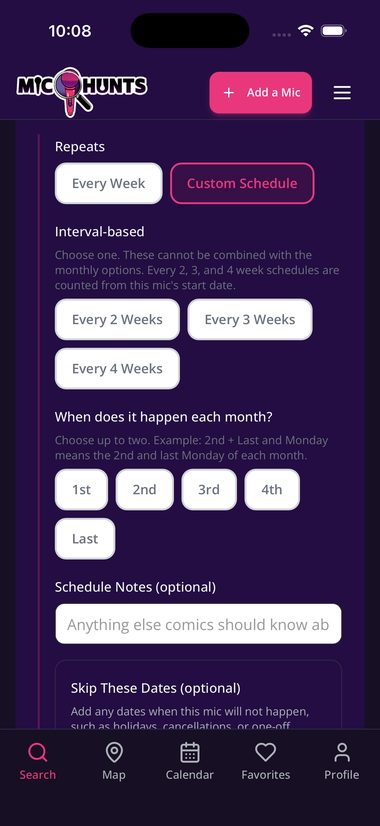
Set how it repeats
Every Week covers most rooms. For anything else, choose Custom Schedule:
- Interval-based ON for every other week. Say how many weeks apart.
- Interval-based OFF for 1st and 3rd Tuesday. Tick First and Third.
Use Skip These Dates for holidays, vacations, or a week you have to cancel. Your listing won't show up on the calendar for that date.
Tap to enlarge -
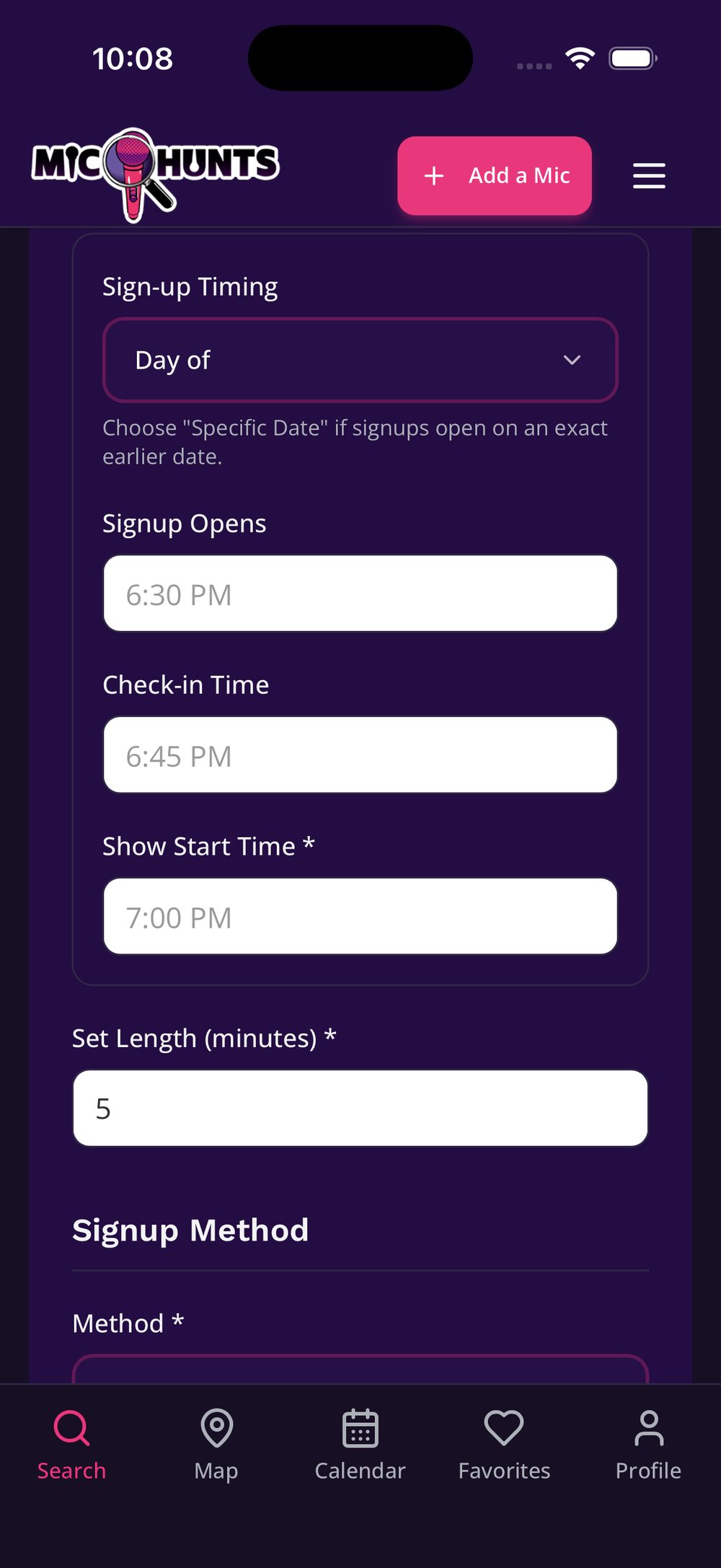
Set the times
Show Start Time is when comedy starts, not when doors open.
Check-in Time is when you would like comedians to show up. If that is the same as sign-up, put the same time.
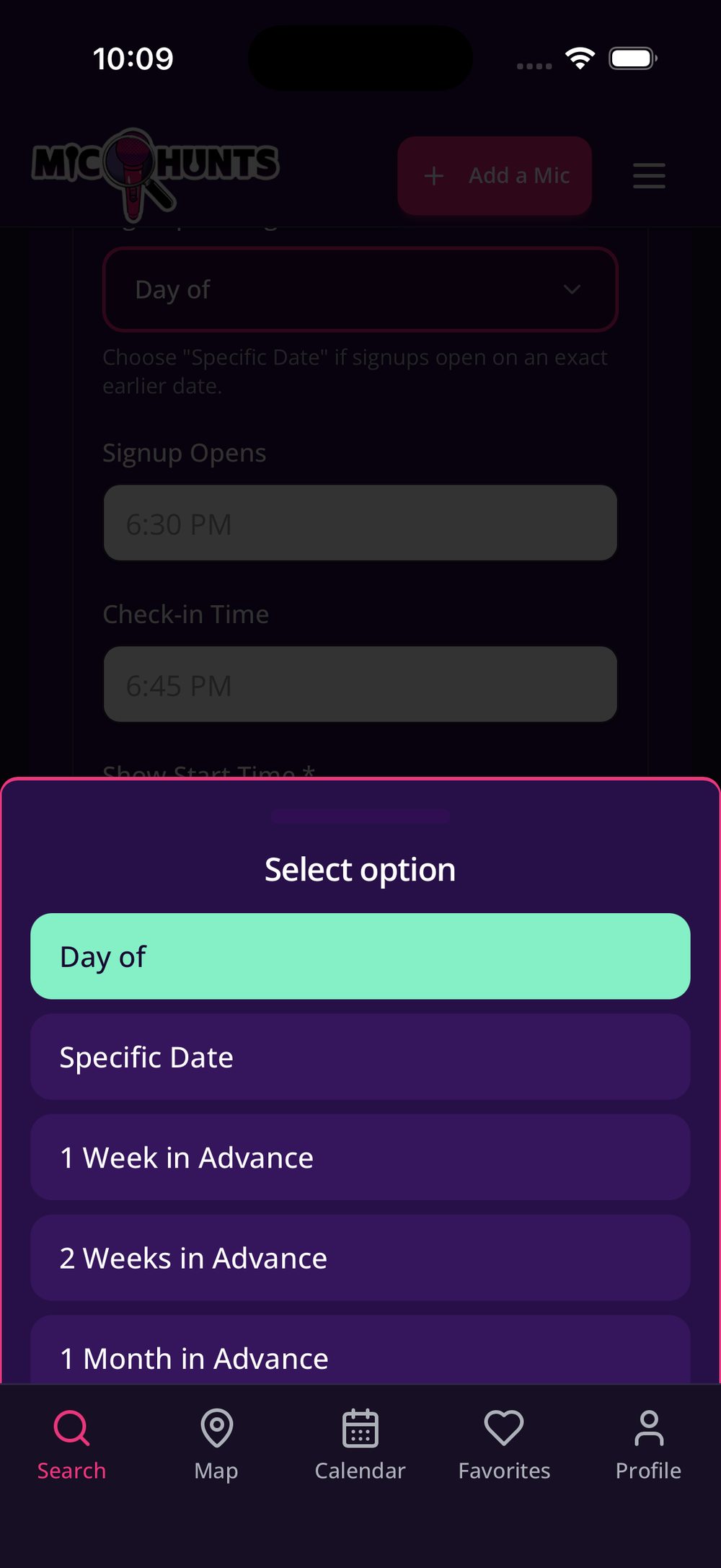
Sign-up Timing is when your list opens: Day of, a Specific Date, or 1 week, 2 weeks or 1 month in advance. Comics get this wrong most often, so it is worth setting.
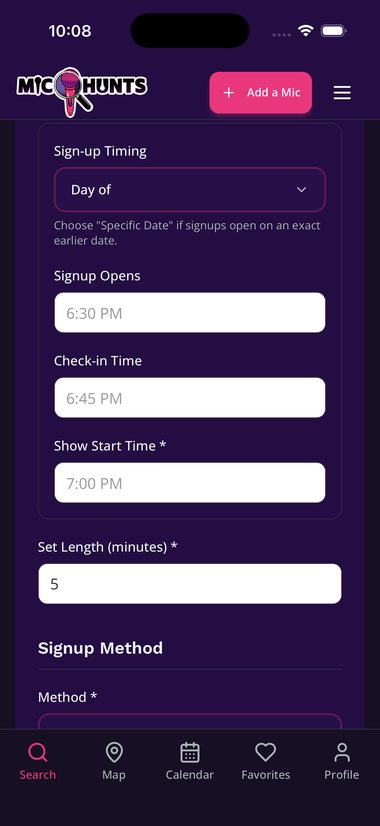
The time fields 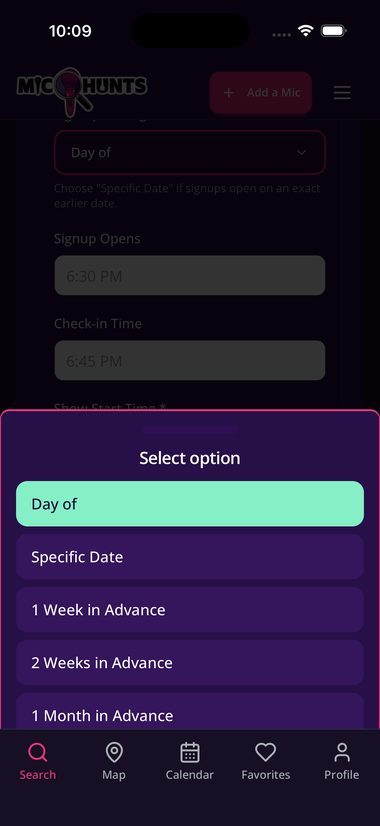
Sign-up Timing options -
Enter the set length
A number only.
5, not "5 min". -
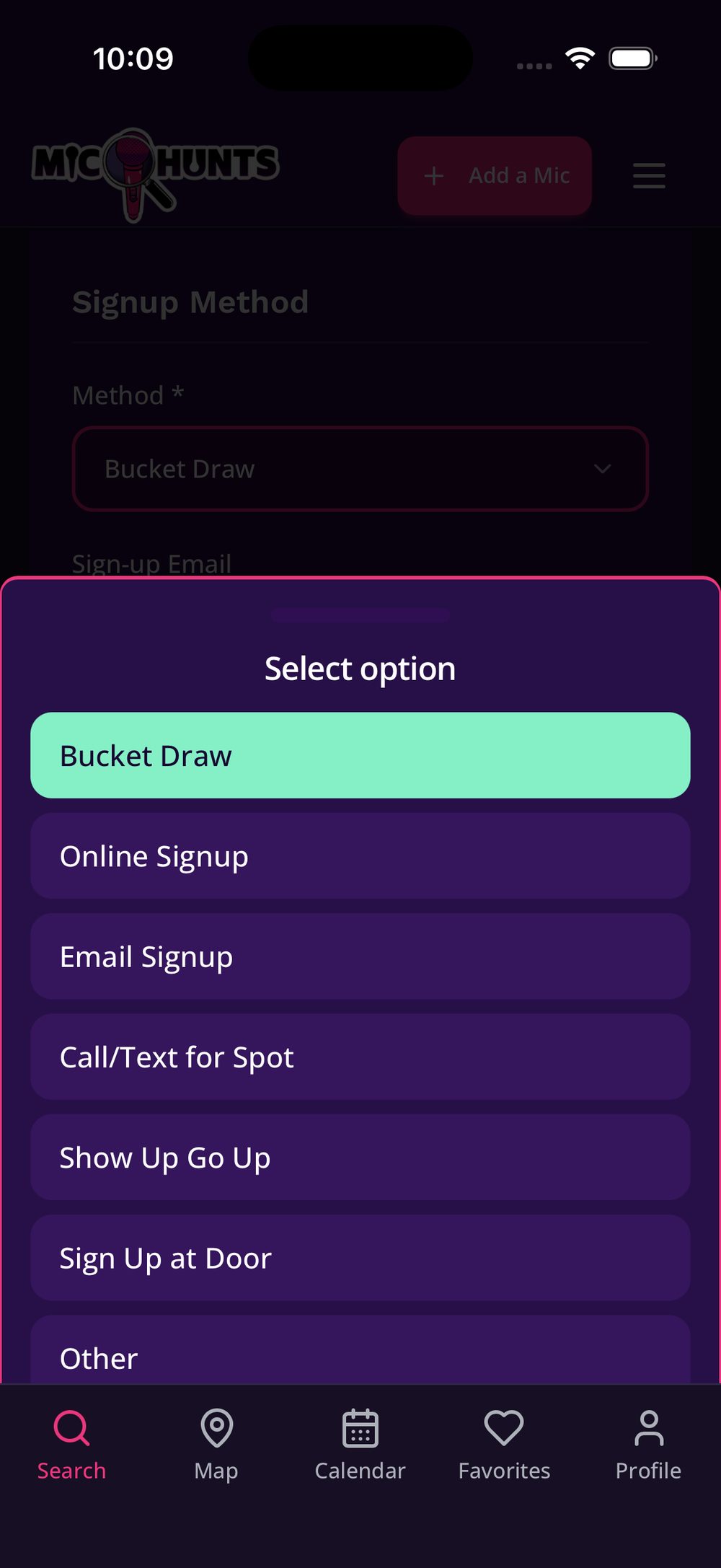
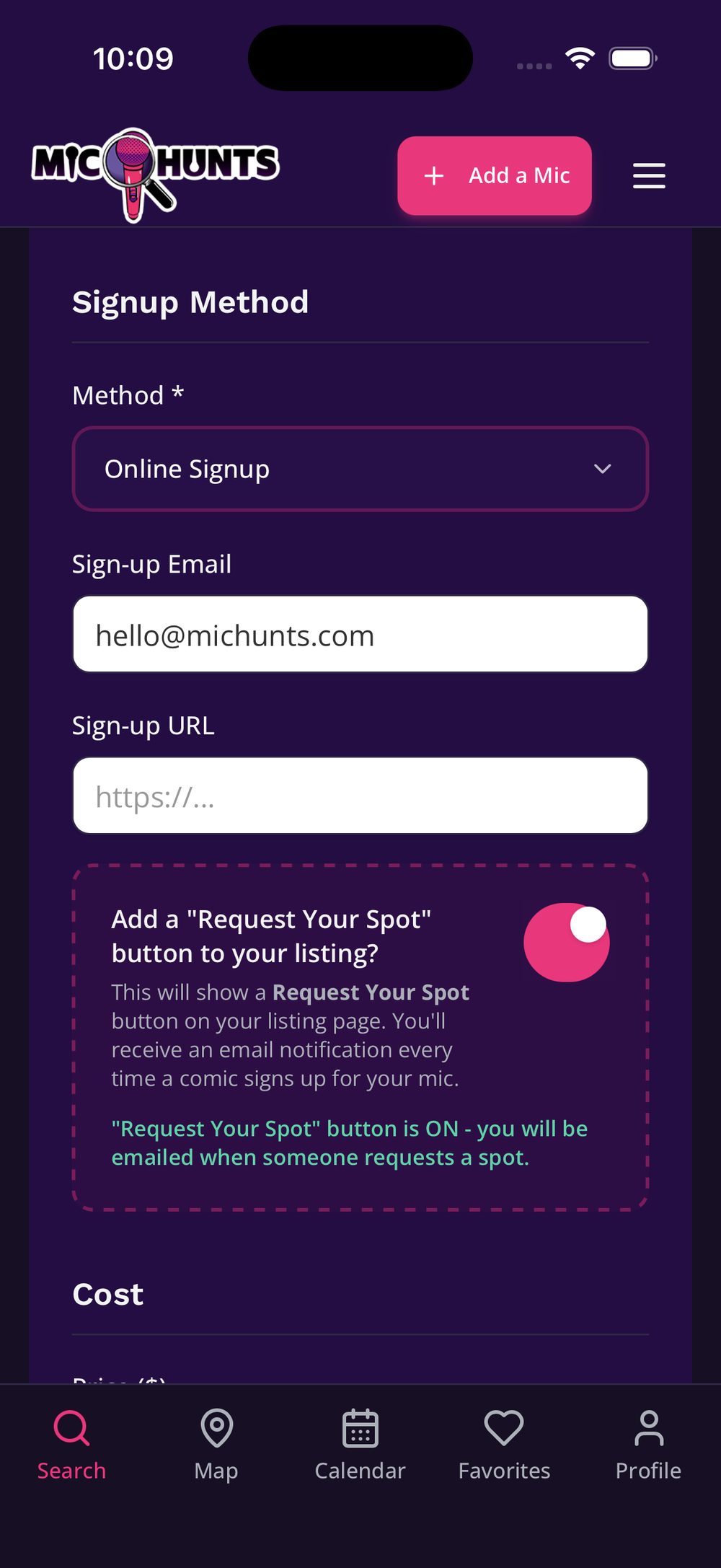
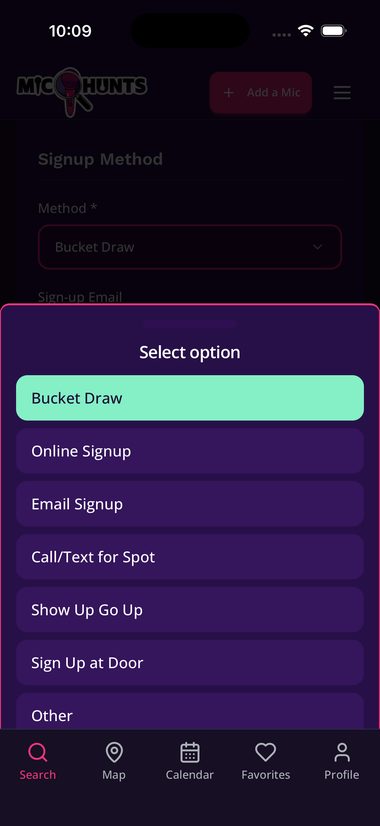
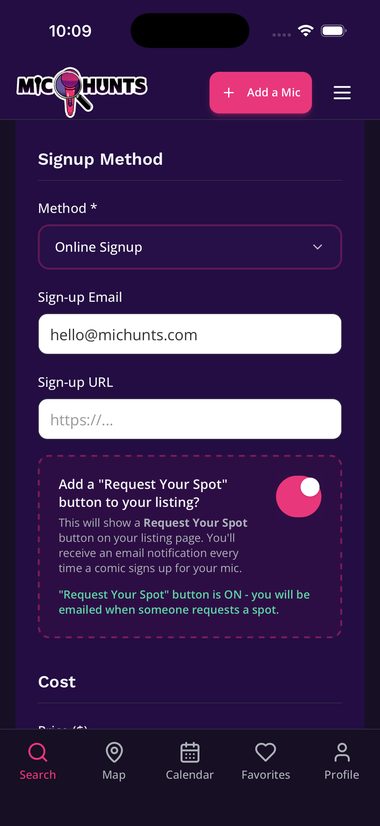
Choose how comics sign up
Pick a Method and the matching box appears on its own. Online Signup gives you a URL, Email an address, Call/Text a number.
Bucket Draw, Show Up Go Up and Sign Up at Door need nothing extra.
Tap to enlarge -
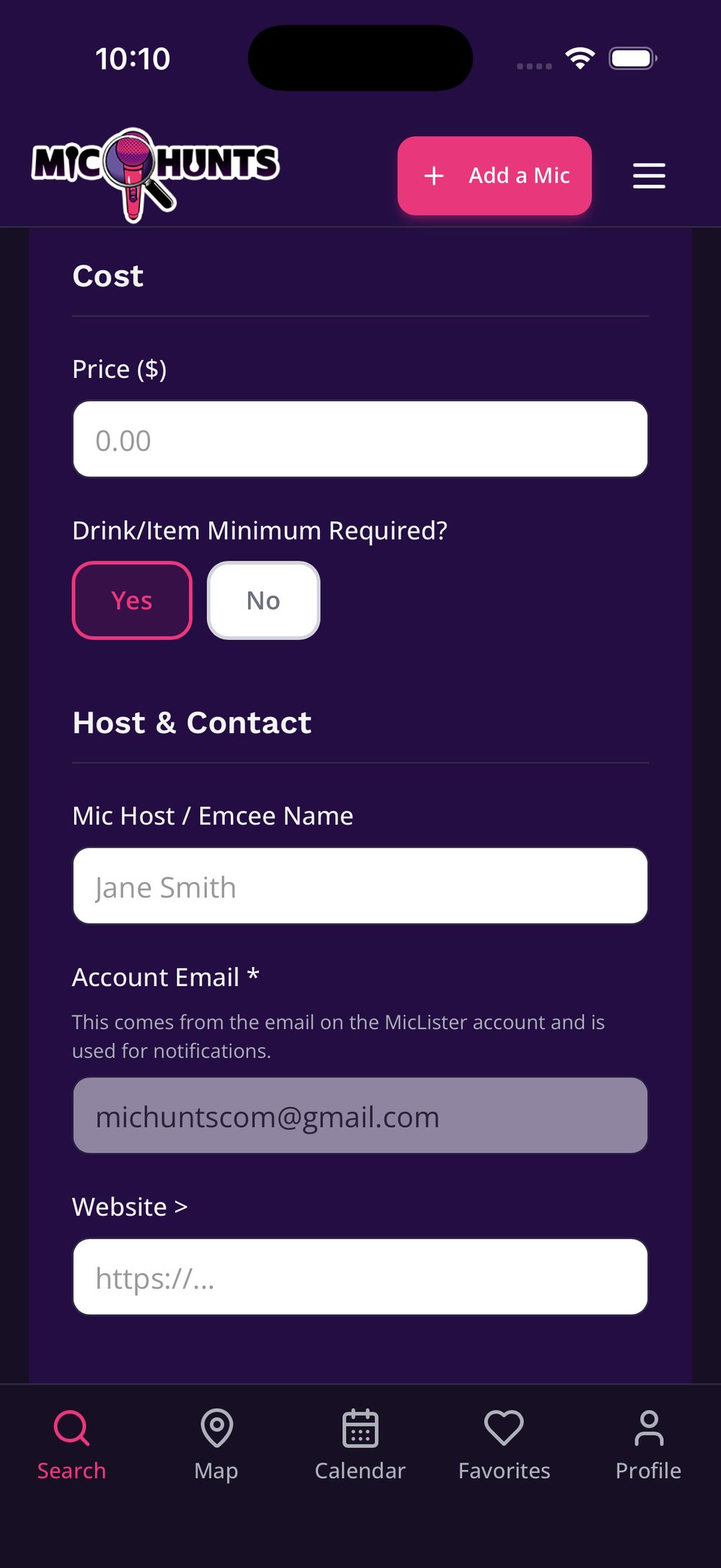
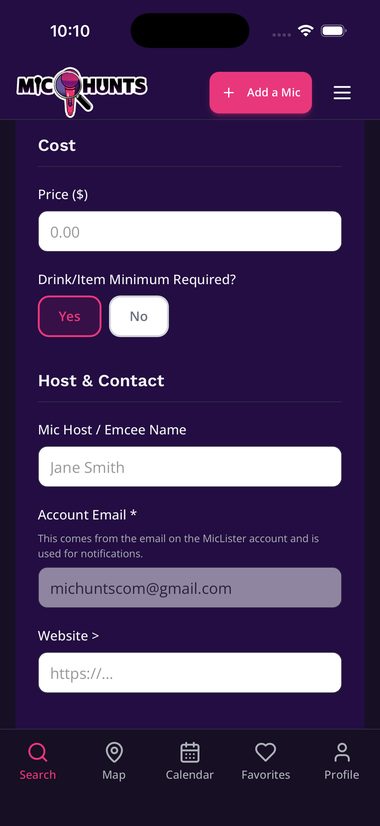
Add the cost
Price is a number only. Blank or
0reads as Free.Flag a drink minimum if there is one.
Tap to enlarge -
Decide about spot requests
Turn on Request Your Spot and comics can ask from your listing. You approve or decline in My Listings. Nothing books itself.
Leave it off if you already run a list somewhere else.
Tap to enlarge -
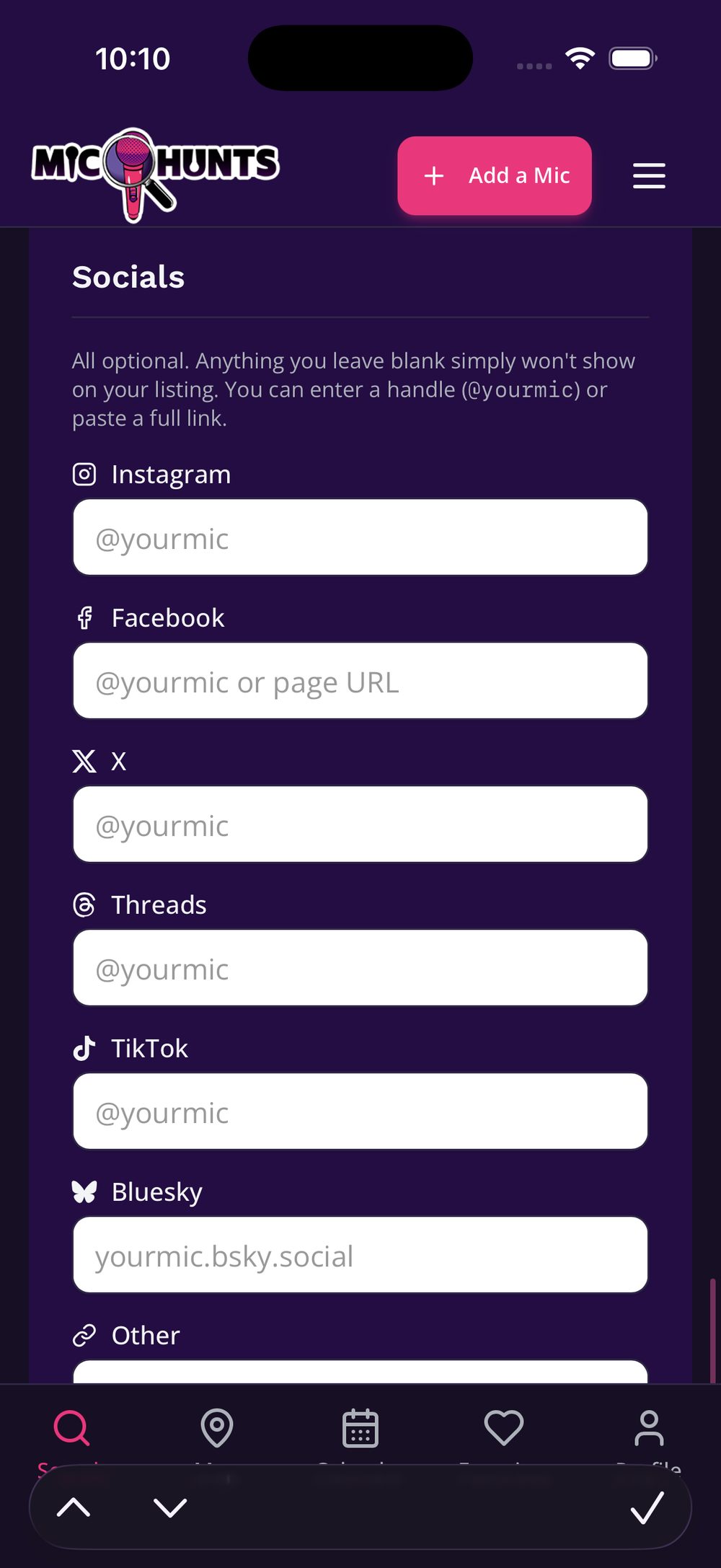
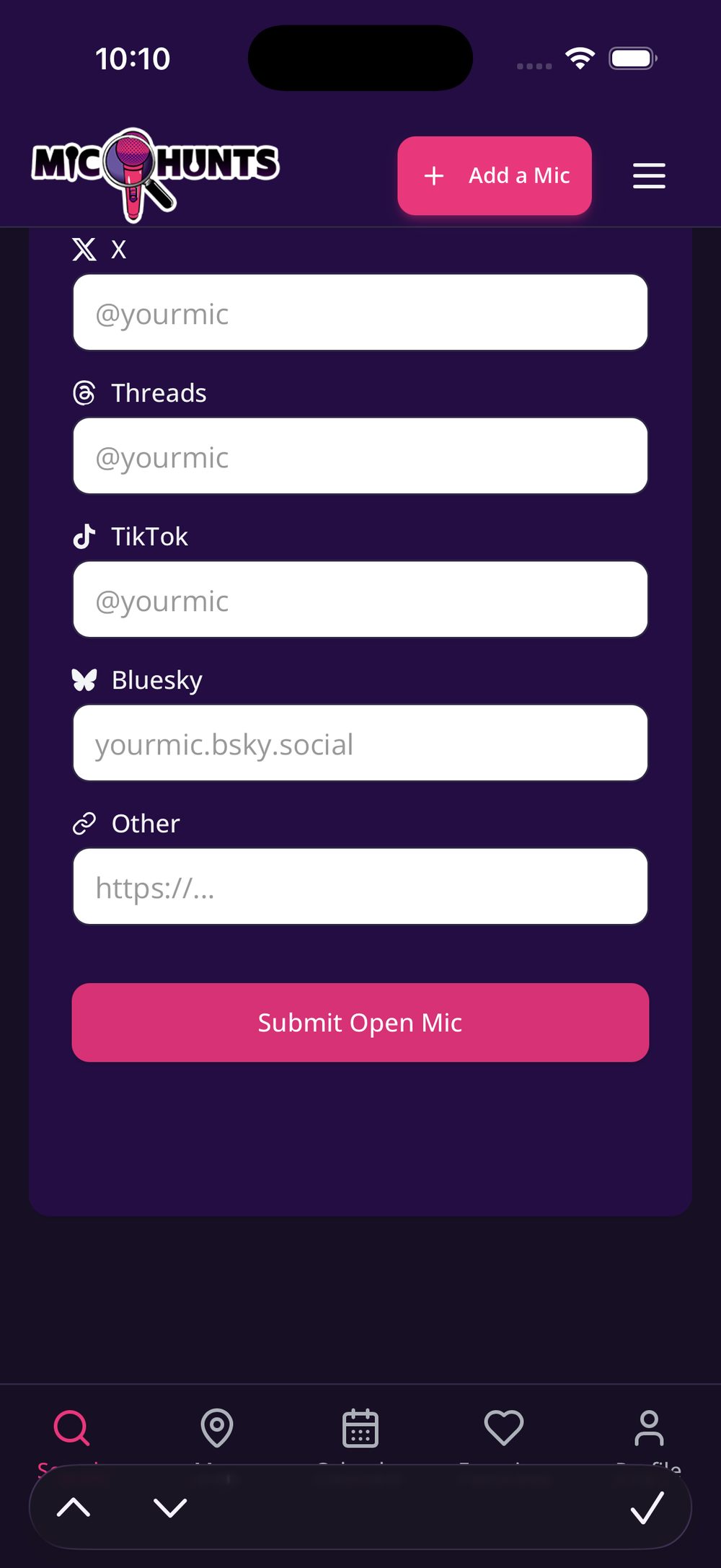
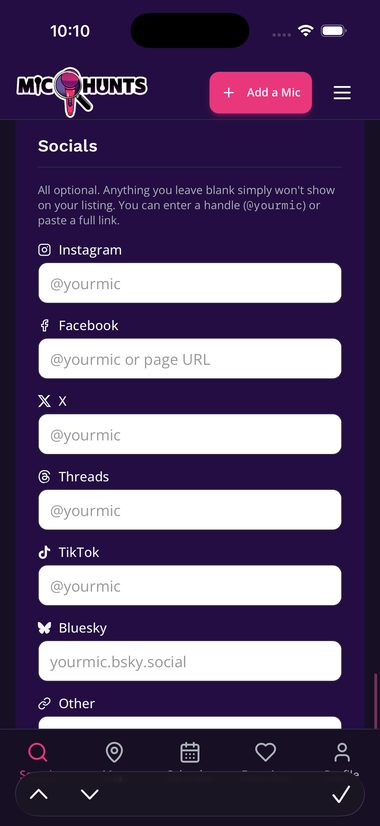
Add host, website and socials
All optional. They show as tappable icons, and blank ones simply don't appear.
Tap to enlarge -
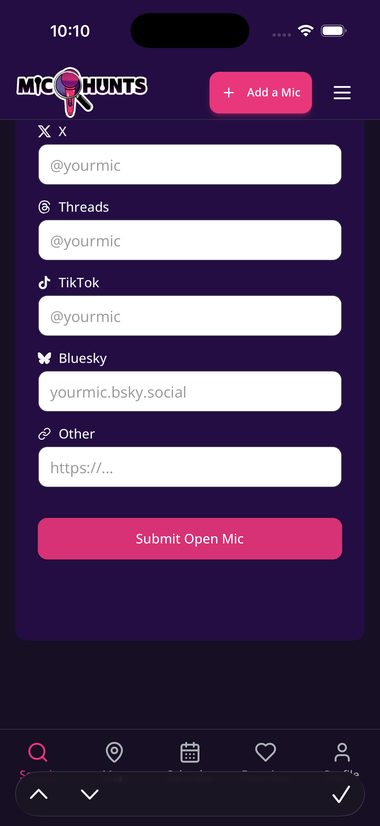
Submit
It goes live immediately. No review queue, no waiting.
Tap to enlarge -
Share the link
Every listing has its own link. Drop it on your site, a social page, a group chat, your story, wherever you already post about the open mic.
Comics get your current details instead of an old flyer, and when you change a time, everyone holding the link sees the new one.
Keeping your listing accurate
Comics plan their week around this. If your time moves, your cover changes, or you go on hiatus, update the listing. It takes seconds and it is the difference between a room full of comics and a room full of nobody.
Going dark for a while? Deactivate the listing instead of deleting it. Deactivating hides it from comics but keeps everything intact, so you can switch it back on whenever you return.
One mic, several dates
An identical open mic that runs on several days is one listing.
Say you run an 8PM open mic on Monday, Tuesday, and Thursday. Same name, same venue, same time, same signup, same cost. That is a single listing with three days selected on it, not three separate listings.
Make them separate listings only when something actually differs: a different start time, a different name, a different cost, or a different signup method. A 6PM open mic and a 9PM open mic at the same bar are two different open mics, even on the same day.